
Create Property Meld Work Orders Automatically from RentCheck
Announcing a New Partnership Between Property Meld and RentCheck
Whether managing 10 units or 10,000, leading property operators in 2026 are realizing that property maintenance isn’t just about keeping the lights on at their properties. Strategic property maintenance – with historical data, forecasting, and detailed breakdowns – results in not only happier property owners, but happier residents as well. Higher lease renewal numbers, decreased time between unit turns, and increased owner satisfaction are all signs of a healthy, proactive inspection and maintenance process and an even healthier bottom line.
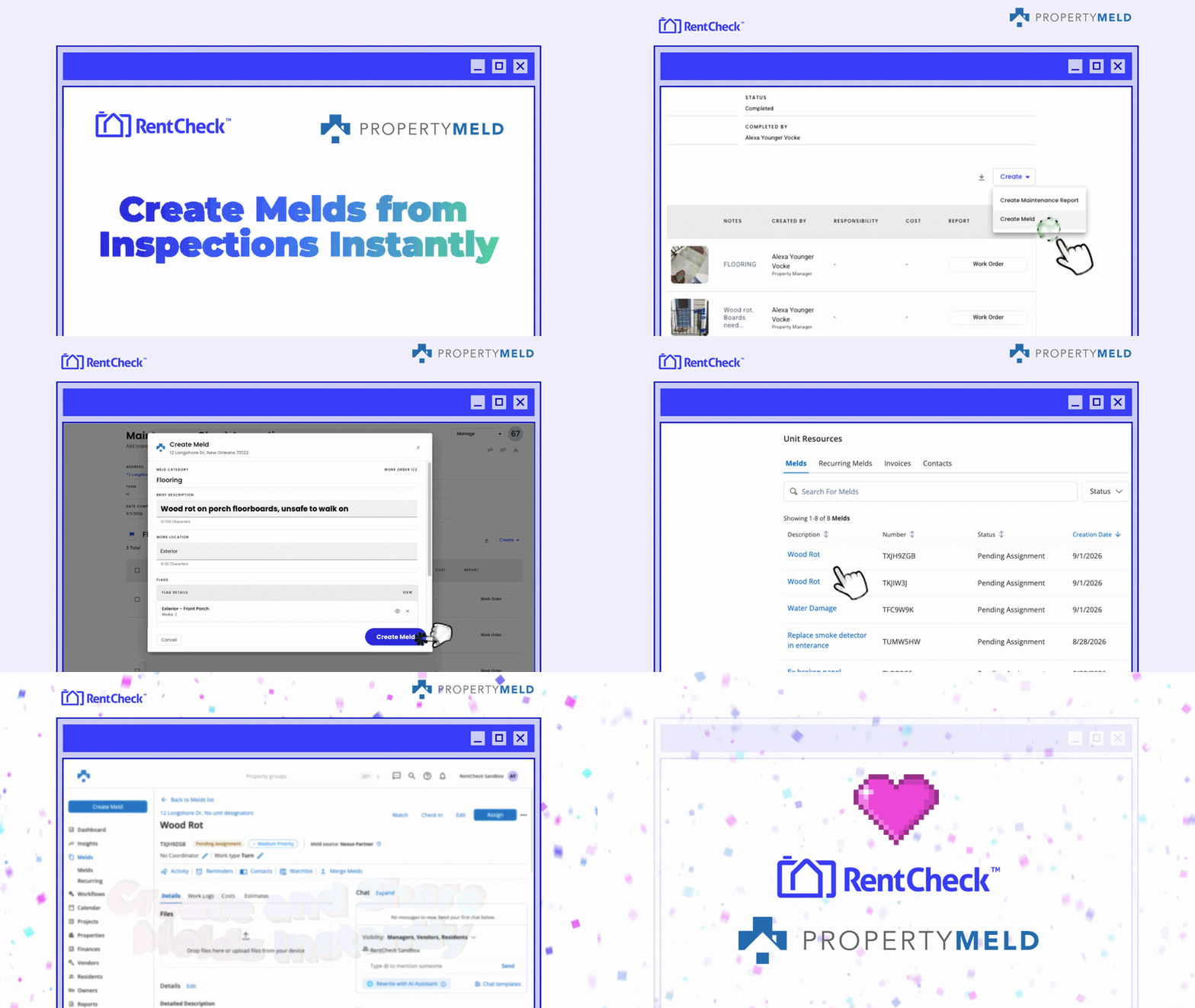
This is the vision that Property Meld has brought to their customers and property maintenance teams since 2014 and now, with the announcement of the Property Meld and RentCheck integration, a drastically important part of that maintenance lifecycle is streamlined: you can now create Property Meld work orders (Melds) automatically from RentCheck, whether a resident, owner, or vendor is doing a move-in, move-out, bi-yearly, or unit turnover inspection. Not only does this result in better quality Melds for maintenance teams and vendors, this also helps property managers communicate with property owners the health of their investment with accurate, current condition reports that enable them to forecast the needs for future maintenance or upgrades.
This new integration between Property Meld and RentCheck will streamline the creation of Property Meld work orders (Melds) from within RentCheck. Previously, creating a Meld via RentCheck meant flagging all the necessary issues while performing an inspection or while reviewing a completed inspection in our platform (whether the inspection was done by a resident, team member out in the field, or 3rd party), and then exporting those flagged issues, images, and notes to manually create Melds in Property Meld. Now, once those flags are created in RentCheck, you can seamlessly create Melds in Property Meld. These work orders will include all of the notes and issue details, as well as a link to view all of the associated images for richer context for the vendor.
Why Property Managers Choose RentCheck’s Resident-Led Inspections
Resident-led inspections can save your team significant time by eliminating unnecessary trips to the property. These inspections are more frequent, provide detail that maintenance or 3rd-party vendors may not get (they don’t live there, afterall), and ultimately, the resident has an incentive to be thorough – those who document a unit's condition thoroughly protect their own security deposit and sparse documentation gives them nothing to point to if a landlord disputes damage later.
How Do Resident-Led Inspections Create Better Melds? (And Better Maintenance Processes).
That time savings is what actually frees up a maintenance team, not just to catch a breath, but to spend their days fixing issues and planning maintenance proactively. With 86% of residents completing their inspections on time with RentCheck, property managers can lean into that shift with confidence.
With that time back and full, resident-documented context already in hand, the Melds created are higher quality from the start: vendors have everything they need up front, so issues get fixed on the first visit instead of requiring a follow-up trip. And because that documentation happens routinely rather than only after something breaks, Melds get created proactively, ahead of a problem becoming an emergency, rather than reactively once a resident is already frustrated, keeping maintenance costs predictable and the property protected (not to also mention the time savings that using RentCheck in the process provides).
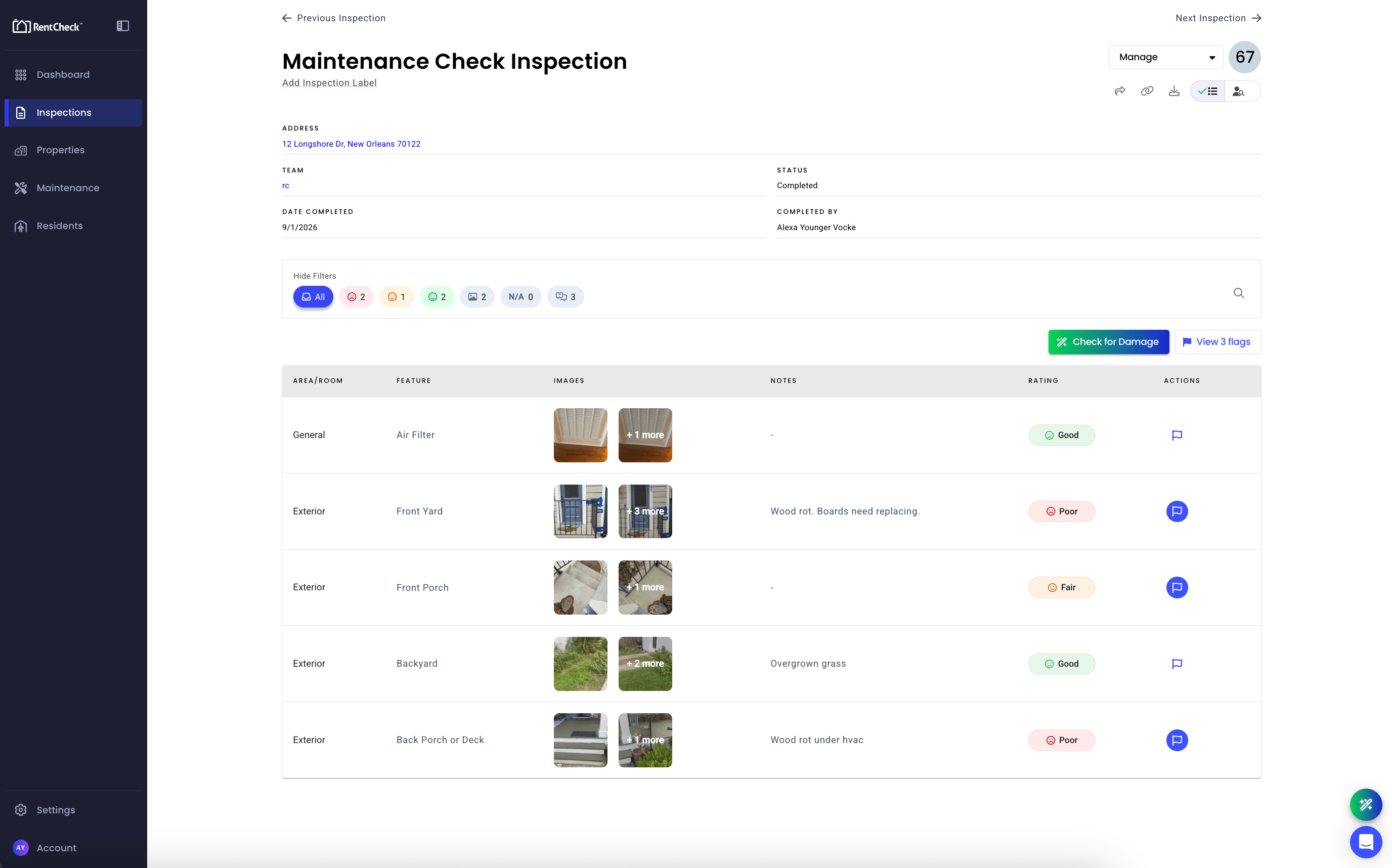
Plus, RentCheck’s AI Damage Assist gives you a “second set of eyes” on every inspection, reviewing submitted photos for critical issues like water, structural, electrical, and plumbing damage, so important problems don’t get missed. When it comes to creating a Meld from RentCheck in Property Meld, this means for any inspection you can run AI Damage Assist on the photo(s), if it detects damage a flag is created with one click in the app, and a Meld is created from the Flag. Your second set of eyes helps flag more potential damage for teams to investigate or fix, ensuring property health now and in the future.
What You Need To Get Started
- A Property Meld and RentCheck Account: If you don’t have a RentCheck account yet, or are interested in learning more, please reach out to our sales team to schedule a consultation.
- Connect Your Property Meld and RentCheck Account: Connect your Property Meld account to RentCheck once by configuring the integration under your Partner Nexus in just one click.. If you don’t have a Property Meld account yet, learn more by scheduling time to see a demo.
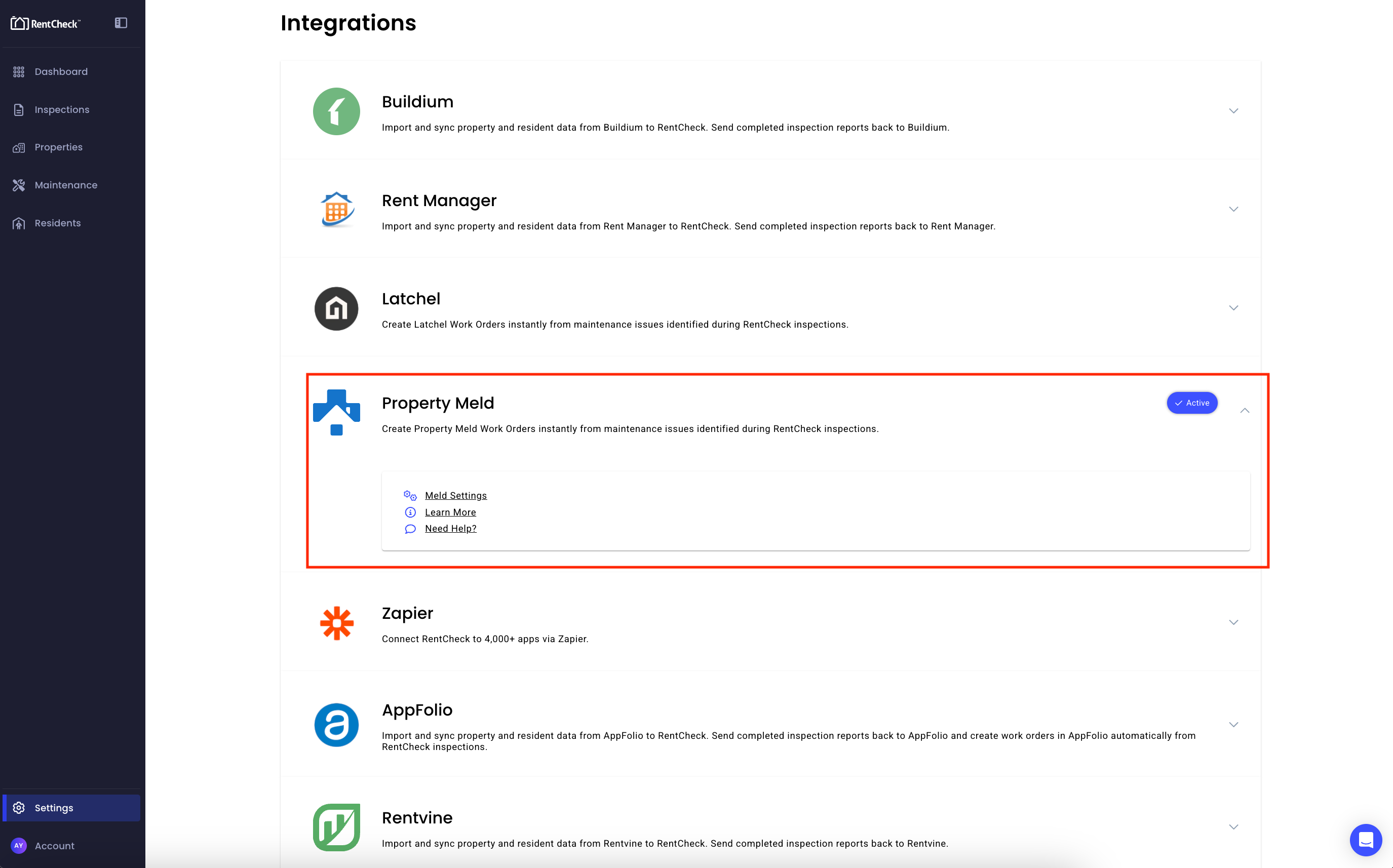
- The Property Meld add-on added to your RentCheck plan: Head to Settings → Integrations → Property Meld and add it to your plan.

How Property Meld and RentCheck Work Together
- Connecting The Accounts: A property manager connects their Property Meld account to RentCheck once by connecting through API credentials via Partner Nexus. Once connected, the two systems are linked for that account going forward.
- Keeping Properties in Sync: After connecting, RentCheck automatically pulls in the properties and units from Property Meld. This keeps both systems aligned without any manual data entry, and lets the property manager pick the right property to link when they are ready to create a Meld.
- Setting Defaults Once: Property managers can set their preferred defaults upfront, things like priority level, work type, and category, along with a few notification preferences. These defaults are then applied automatically every time a new Meld is created, so the property manager is not reconfiguring the same choices over and over.
Three Actions You Can Do Immediately Once Your Accounts Are Connected
- Pull your Property Meld properties daily, ready to link when you create a Meld.
- Look up residents in real time while you're creating a Meld, so that they can be notified
- Keep your Meld's status updated in RentCheck as it progresses in Property Meld
Property Meld and RentCheck are aligned on the same goal: giving property teams the tools to protect their investments without adding more work to already full plates. This integration is the first step in a deeper partnership between the two platforms, with more updates are on the way. If you're ready to eliminate the manual work between inspections and maintenance, connect your accounts today or fill out the form below to see the integration in action in a pre-recorded demo.
View the Property Meld x RentCheck Demo Below